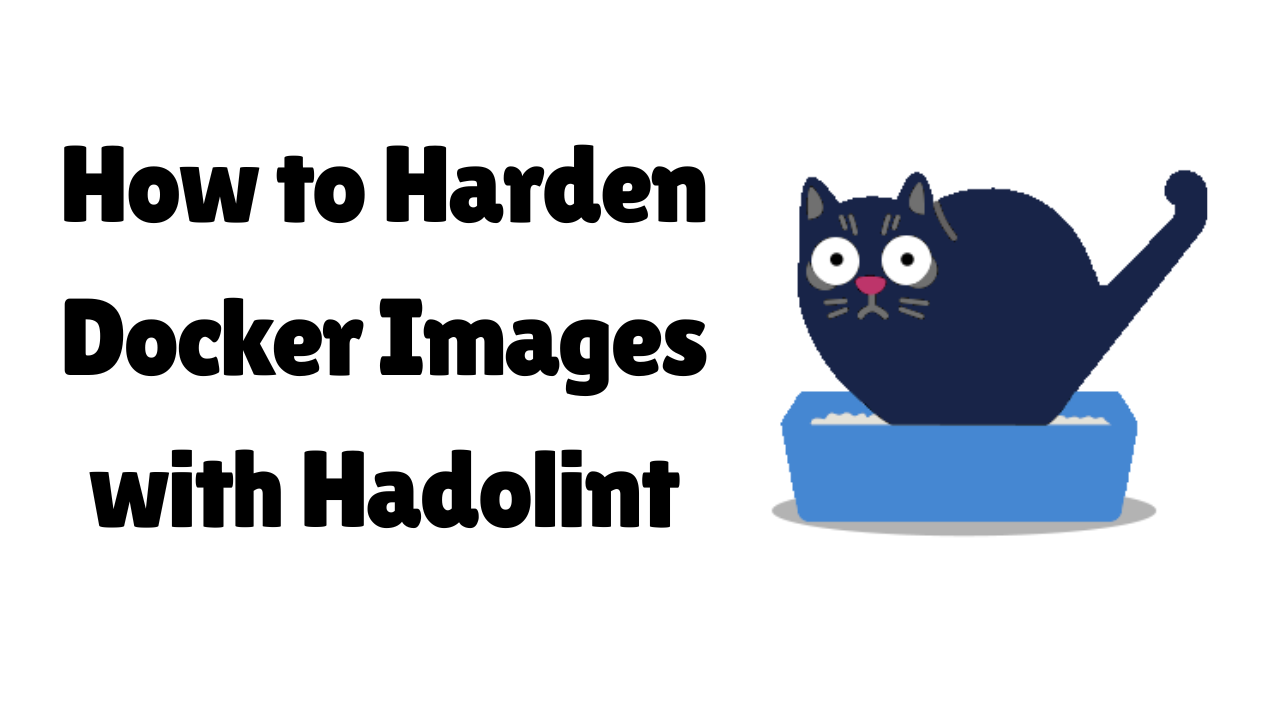
Docker Security & Container Best Practices with Hadolint
A comprehensive guide for learning Hadolint, a powerful Dockerfile linter that enforces security and best practices for container images.
Overview
This guide provides practical examples and exercises to help you:
- Understand Docker security best practices
- Learn how to use Hadolint to identify security vulnerabilities
- Fix common Dockerfile issues
- Build secure, optimized container images
- Integrate Hadolint into CI/CD pipelines
What You’ll Learn
- Security: Non-root users, version pinning, vulnerability prevention
- Performance: Layer caching optimization, multi-stage builds
- Best Practices: Proper Dockerfile structure and patterns
- Tooling: Hadolint configuration and integration
Prerequisites
- Basic understanding of Docker and Dockerfiles
- Docker installed (or access to a system with Docker)
- Command line experience
What is Hadolint?
Hadolint is a powerful Dockerfile linter written in Haskell that helps you write better, more secure, and more efficient Docker images. It analyzes your Dockerfile and provides recommendations based on best practices.
Key Features
- Static Analysis: Analyzes Dockerfile syntax and structure without building the image
- Bash Validation: Validates inline bash scripts using ShellCheck integration
- Best Practices: Enforces Docker best practices and security guidelines
- Rule-Based: Provides specific error codes (DLxxxx) for each issue found
- CI/CD Integration: Easy to integrate into CI/CD pipelines
- Multiple Output Formats: Supports JSON, TAP, and other output formats
Why Use Hadolint?
- Security: Identifies security vulnerabilities before deployment
- Performance: Suggests optimizations to reduce image size and build time
- Maintainability: Ensures consistent Dockerfile patterns across projects
- Quality: Catches common mistakes and anti-patterns early
- Documentation: Provides clear explanations for each issue found
Installation
Option 1: Using Docker (Recommended)
docker pull hadolint/hadolint
To use hadolint with Docker:
docker run --rm -i hadolint/hadolint < Dockerfile
Or create an alias for convenience:
echo 'alias hadolint="docker run --rm -i hadolint/hadolint"' >> ~/.bashrc
source ~/.bashrc
Linux/Ubuntu:
sudo wget -O /usr/local/bin/hadolint https://github.com/hadolint/hadolint/releases/latest/download/hadolint-Linux-x86_64
sudo chmod +x /usr/local/bin/hadolint
macOS:
wget -O /usr/local/bin/hadolint https://github.com/hadolint/hadolint/releases/latest/download/hadolint-Darwin-x86_64
chmod +x /usr/local/bin/hadolint
Verify Installation
hadolint --version
Basic Usage
hadolint [OPTIONS] Dockerfile
Common Options:
--ignore RULE: Ignore specific rules (e.g.,--ignore DL3008)--format FORMAT: Output format (tty, json, checkstyle, codeclimate, gitlab_codeclimate, sarif)--failure-threshold LEVEL: Exit with failure code if issues >= LEVEL--no-color: Disable colored output--verbose: Enable verbose output--config FILE: Path to configuration file
Basic Example:
hadolint Dockerfile
hadolint --format json Dockerfile
hadolint --ignore DL3008 --ignore DL3009 Dockerfile
Exercise 1: Dockerfile Without Issues (Dockerfile.good)
FROM node:18-alpine AS builder
WORKDIR /app
COPY package*.json ./
RUN npm ci --only=production
COPY . .
RUN npm run build

FROM node:18-alpine
RUN addgroup -g 1001 -S nodejs && adduser -S nodejs -u 1001
WORKDIR /app
COPY --from=builder --chown=nodejs:nodejs /app/dist ./dist
COPY --from=builder --chown=nodejs:nodejs /app/node_modules ./node_modules
COPY --from=builder --chown=nodejs:nodejs /app/package*.json ./
USER nodejs
EXPOSE 3000
HEALTHCHECK --interval=30s --timeout=3s --start-period=5s --retries=3 CMD node healthcheck.js
CMD ["node", "dist/index.js"]
Why This Dockerfile is Good:
- Specific base image (
node:18-alpineinstead oflatest) - Multi-stage build
- Layer caching (dependencies before code)
- Non-root user
- Health check
- Exec form for CMD
- Proper ownership with
--chown
Exercise 2: Dockerfile With Common Issues (Dockerfile.bad)
FROM ubuntu:latest
RUN apt-get update
RUN apt-get install -y python3 python3-pip
RUN pip3 install flask requests
WORKDIR /app
COPY . .
RUN chmod +x start.sh
RUN ./start.sh
EXPOSE 8080
CMD python3 app.py
Common Hadolint Issues:
| Rule | Issue |
|---|---|
| DL3007 | Using latest tag - pin version |
| DL3008 | Pin versions in apt-get install |
| DL3009 | Delete apt-get lists after installing |
| DL3013 | Pin versions in pip install |
| DL3015 | Use --no-install-recommends |
| DL3025 | Use JSON notation for CMD |
| DL3042 | Use pip install --no-cache-dir |
| DL3059 | Consolidate consecutive RUN instructions |
Issue 1: DL3006 - Avoid latest tag
Problem: FROM ubuntu:latest
Solution: FROM ubuntu:22.04
Issue 2: DL3008 - Pin versions in apt-get
Better:
RUN apt-get update && \
    apt-get install -y --no-install-recommends python3 python3-pip && \
    rm -rf /var/lib/apt/lists/*
Issue 3: DL3009 - Delete apt lists after install
Combine with apt-get in one RUN and add rm -rf /var/lib/apt/lists/*.
Issue 4: DL3013 - Pin versions in pip
Better: Use requirements.txt and:
COPY requirements.txt .
RUN pip3 install --no-cache-dir -r requirements.txt
Issue 5: DL3002 - Run as non-root
RUN groupadd -r appuser && useradd -r -g appuser appuser
# ... other instructions ...
USER appuser
Issue 6: DL3025 - Use exec form for CMD
Problem: CMD python3 app.py
Solution: CMD ["python3", "app.py"]
Fixed Dockerfile Example
FROM ubuntu:22.04
RUN apt-get update && \
    apt-get install -y --no-install-recommends python3 python3-pip && \
    rm -rf /var/lib/apt/lists/*
COPY requirements.txt .
RUN pip3 install --no-cache-dir -r requirements.txt
RUN groupadd -r appuser && useradd -r -g appuser appuser
WORKDIR /app
COPY --chown=appuser:appuser . .
USER appuser
EXPOSE 8080
CMD ["python3", "app.py"]
Multi-stage Build - Fixed Example
FROM node:18-alpine AS builder
WORKDIR /app
COPY package*.json ./
RUN npm ci
COPY . .
RUN npm run build

FROM node:18-alpine
WORKDIR /app
RUN addgroup -g 1001 -S nodejs && adduser -S nodejs -u 1001
COPY package*.json ./
RUN npm ci --only=production && npm cache clean --force
COPY --from=builder --chown=nodejs:nodejs /app/dist ./dist
USER nodejs
EXPOSE 3000
CMD ["node", "dist/index.js"]
Improvements: Specific versions, better caching, production deps only, non-root user, exec form CMD.
Layer Caching
Bad: COPY . . then RUN npm install - every code change invalidates cache.
Good: COPY package*.json ./ → RUN npm install → COPY . .
Combining RUN Commands
Bad: Multiple RUN (more layers).
Good: Single RUN apt-get update && apt-get install ... && rm -rf /var/lib/apt/lists/*
Using .dockerignore
Exclude node_modules, .git, .env, etc. to speed builds and avoid leaking secrets.
Health Checks
HEALTHCHECK --interval=30s --timeout=3s --start-period=5s --retries=3 \
  CMD curl -f http://localhost:3000/health || exit 1
Configuration File (.hadolint.yaml)
ignored:
  - DL3008
  - DL3013
override:
  error: DL3002
  warning: DL3006
trustedRegistries:
  - docker.io
  - gcr.io
  - quay.io
Use: hadolint --config .hadolint.yaml Dockerfile
GitHub Actions
name: Lint Dockerfile
on:
  pull_request:
    paths: ['Dockerfile*', '.dockerfilelintrc']
jobs:
  hadolint:
    runs-on: ubuntu-latest
    steps:
      - uses: actions/checkout@v3
      - name: Run Hadolint
        uses: hadolint/hadolint-action@v3.1.0
        with:
          dockerfile: Dockerfile
          failure-threshold: warning
          ignore: DL3008,DL3013
Pre-commit Hook
repos:
  - repo: https://github.com/hadolint/hadolint
    rev: v2.12.0
    hooks:
      - id: hadolint-docker
        args: ['--ignore', 'DL3008']
GitLab CI
hadolint:
  image: hadolint/hadolint:latest
  script: hadolint --ignore DL3008 --ignore DL3013 Dockerfile
  only: [merge_requests]
Output Formats & Failure Thresholds
hadolint --format json Dockerfile
hadolint --format checkstyle Dockerfile
hadolint --failure-threshold warning Dockerfile
Common Rules Reference
| Rule | Description | Solution |
|---|---|---|
| DL3002 | Last USER should not be root | Create and use non-root user |
| DL3006 | Tag image version explicitly | Use e.g. ubuntu:22.04 |
| DL3008 | Pin apt-get versions | apt-get install package=version |
| DL3013 | Pin pip versions | pip install package==version |
| DL3015 | Avoid extra packages | Use --no-install-recommends |
| DL3009 | Delete apt lists after install | rm -rf /var/lib/apt/lists/* |
| DL3025 | Use JSON for CMD | CMD ["executable", "arg"] |
| DL3027 | Do not COPY as root | Use COPY --chown=user:group |
Summary
- Security: Non-root users, version pinning, clean apt/pip usage
- Performance: Layer order, multi-stage builds, consolidated RUN
- Reliability: Reproducible builds with pinned versions
- Maintainability: Consistent patterns and Hadolint in CI/CD
Resources: Hadolint GitHub · Docker Best Practices
Comments (1)
Helpful nice and clear
Leave a comment