Most Python tutorials start with print("Hello World") and move on. I want to do something different. Before we write a single line of code, I want to make sure we both understand
why we’re here, what this language actually is under the surface, and where it will take you - because those three things change how you learn. They change your patience when things don’t work. They change how you think about problems. They are the foundation.
This is Day 0. The founding layer. We won’t install Python and immediately write code (well - we will at the very end). We’ll first answer the questions that most tutorials skip because they assume you already know the answers. Most beginners don’t. That’s not a criticism - it’s just true. And it matters.
By the end of this post, you will know exactly what Python is and isn’t, exactly where it is used and by whom, why it is worth your time even if you are not trying to become a developer, and how this series is structured so you can plan your learning. You will also have Python installed and ready for Day 1.
Let’s build the foundation properly.
What is Python? - The honest answer
Python is a high-level, interpreted, general-purpose programming language. Let’s unpack each of those words, because they actually matter.
High-level
“High-level” means Python is designed for humans, not machines. When you write Python, you’re describing what you want to happen, not micromanaging the computer’s memory or processor. Compare this to C or Assembly, where you have to think about memory addresses and CPU registers. Python abstracts all of that away. The trade-off is performance - Python is slower than C. But for 95% of real-world tasks, that trade-off is completely worth it.
Interpreted
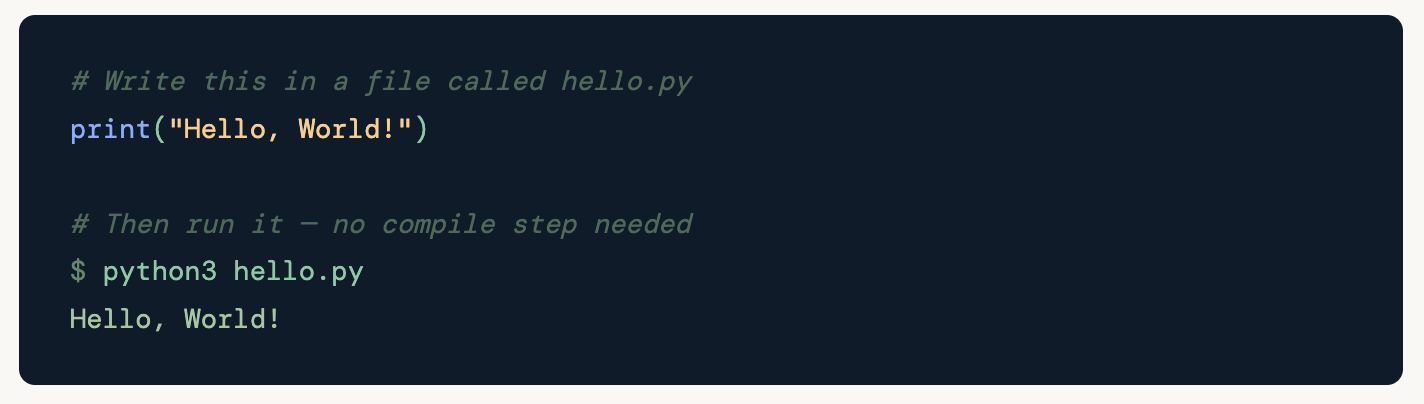
When you write a program in a compiled language like C++, you run a compiler that converts your code into machine code (a binary file) before it can run. You have to compile first, then run. Python skips the explicit compile step - you just run your .py file and the Python interpreter handles the rest.
⚙️ What actually happens under the hood CPython (the standard Python implementation) does actually compile your code - but to bytecode, not machine code. This bytecode lives in .pyc files inside __pycache__/. The Python Virtual Machine (PVM) then executes that bytecode. This is why Python is faster than a true line-by-line interpreter, and also why "interpreted" is a slight simplification - but it's the right mental model for beginners.
In practice, “interpreted” means this workflow:
# Write this in a file called hello.py
print("Hello, World!")

# Then run it - no compile step needed
python3 hello.py
Hello, World!
General-purpose
“General-purpose” means Python was not designed for one specific job. It is not like SQL (designed for databases) or HTML (designed for web pages). Python can build websites, analyse data, automate tasks, train machine learning models, write security tools, process genomic data, and build games - often in the same week, by the same person. That versatility is genuinely unusual.
A little history that actually matters
Python was created by Guido van Rossum in the late 1980s and first released in 1991. He was working at a research institute in the Netherlands and was frustrated by the programming tools available. He wanted something more readable than C, more powerful than shell scripting, and more enjoyable to use than either. He named it after Monty Python's Flying Circus - the British comedy show - which tells you something about the culture he was building.
One of the most important decisions Guido made early on was to make whitespace (indentation) meaningful. In most languages, indentation is just style - the code works either way. In Python, indentation defines the structure of the code. This forces readability. It also means Python code from one developer looks remarkably similar to Python code from another - a huge advantage in teams.
The Zen of Python - the language’s philosophy in 19 lines
Run this in any Python shell and you get the design philosophy that shaped every decision made about the language:
>>> import this
The output is a poem written by Tim Peters, called The Zen of Python. It is also PEP 20 - an official Python Enhancement Proposal. Here are the three lines that matter most for a beginner:
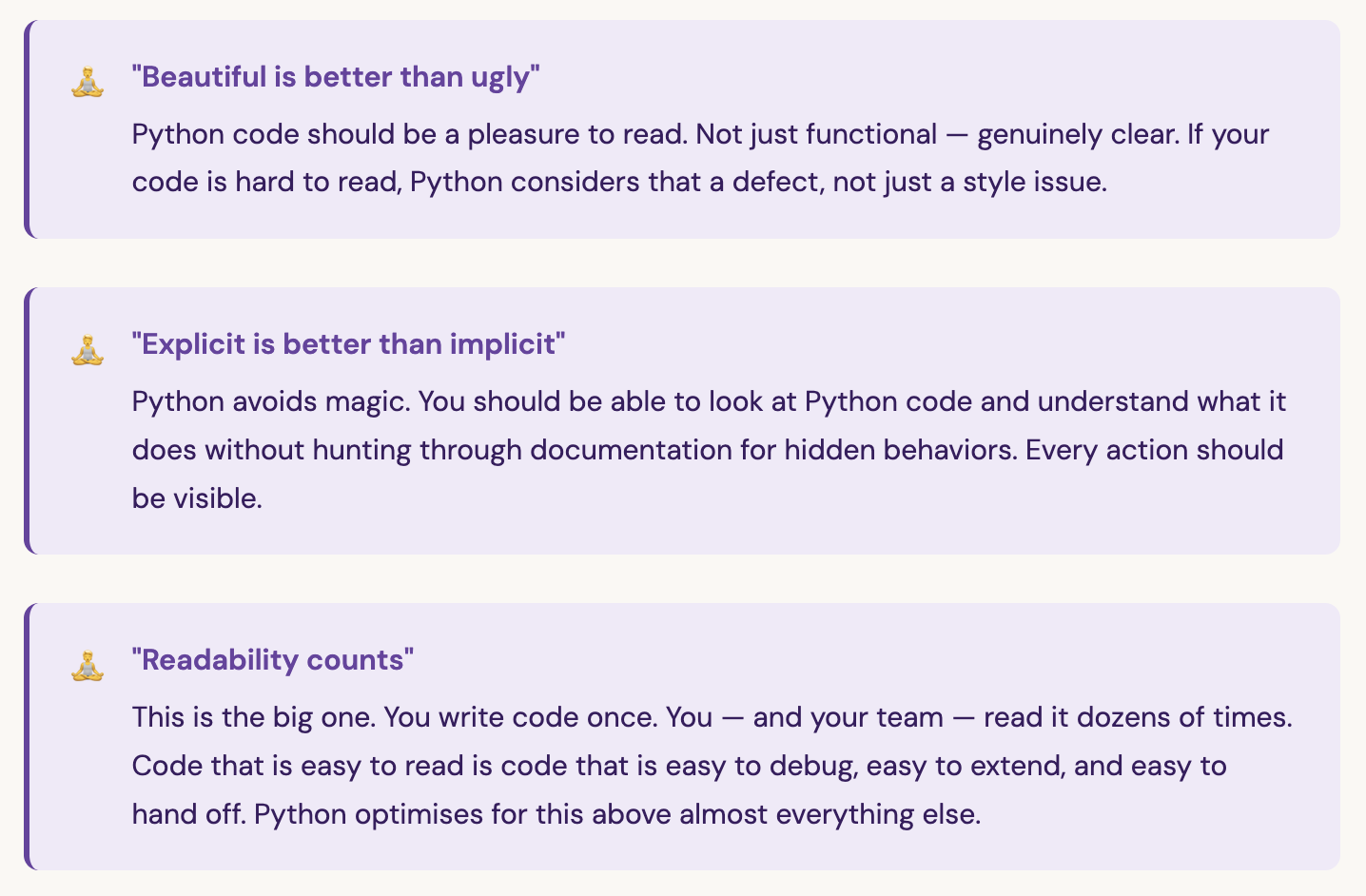
Keep these three principles in mind throughout this series. They will explain choices Python makes that might otherwise seem strange or opinionated.
Python vs. other languages - where does it fit?
A question beginners often ask is “should I learn Python or JavaScript/Java/Go?” Here is an honest comparison:
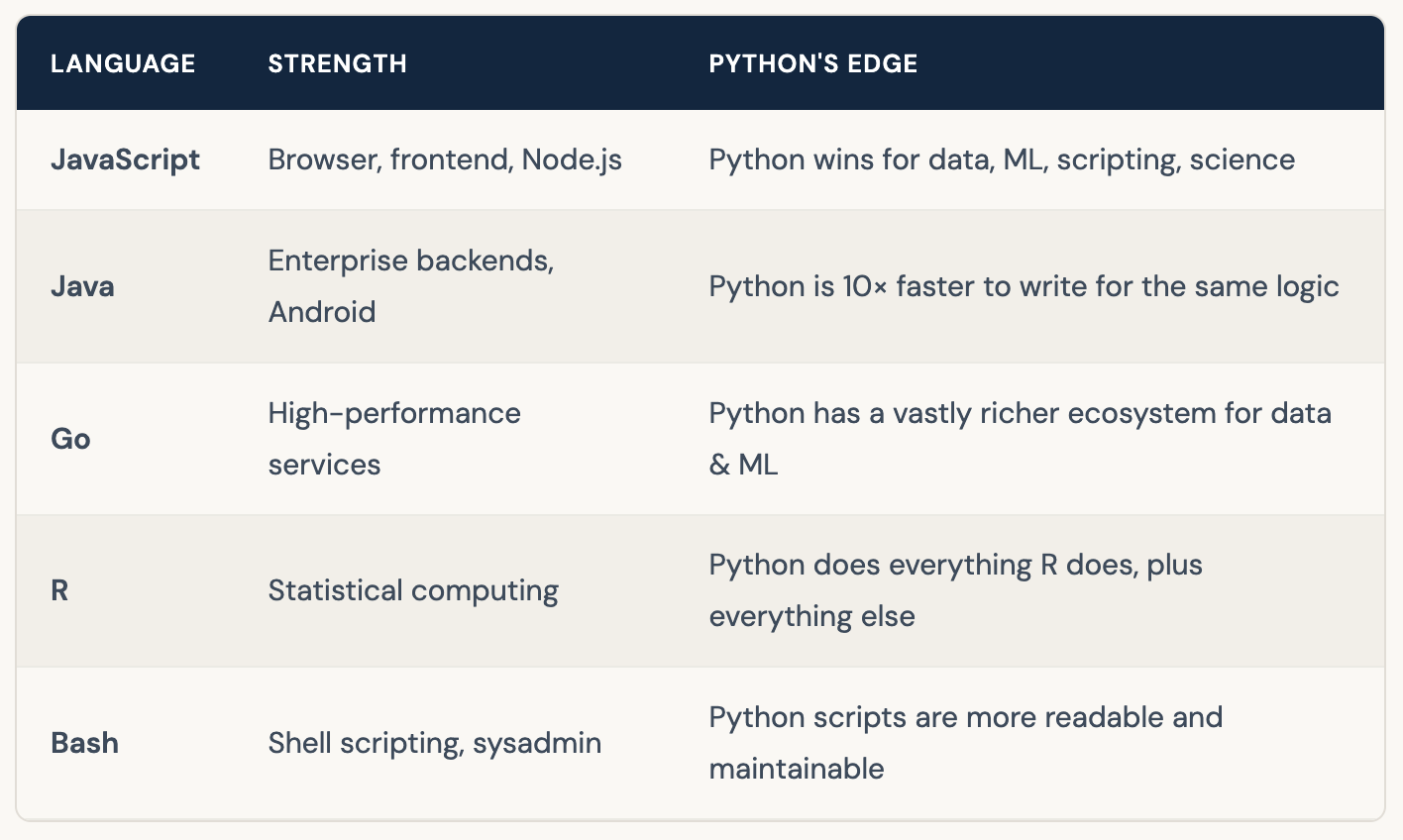
Python is not always the right tool. For building iOS apps, you’d use Swift. For high-frequency trading systems that need microsecond latency, you’d use C++. For frontend web interfaces, you’d use JavaScript. But for learning to program, for data work, for automation, for AI - Python is the right tool, and it’s not close.
Where is Python actually used? - 8 real domains
This isn’t a marketing list. These are real production use cases - the kind where Python is a core dependency, not just a peripheral script. Understanding this early matters because it shapes which direction you eventually go deep in.
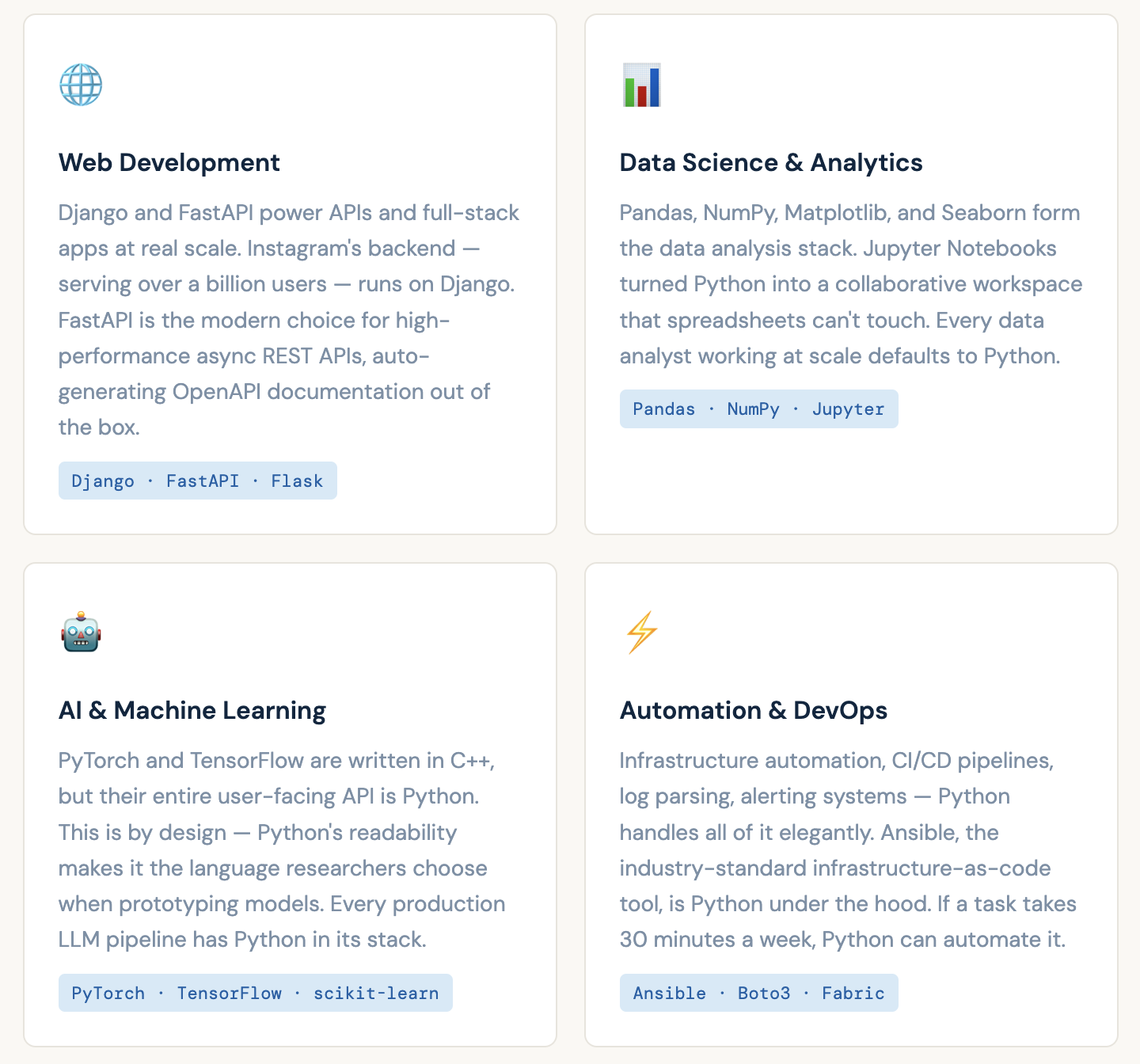
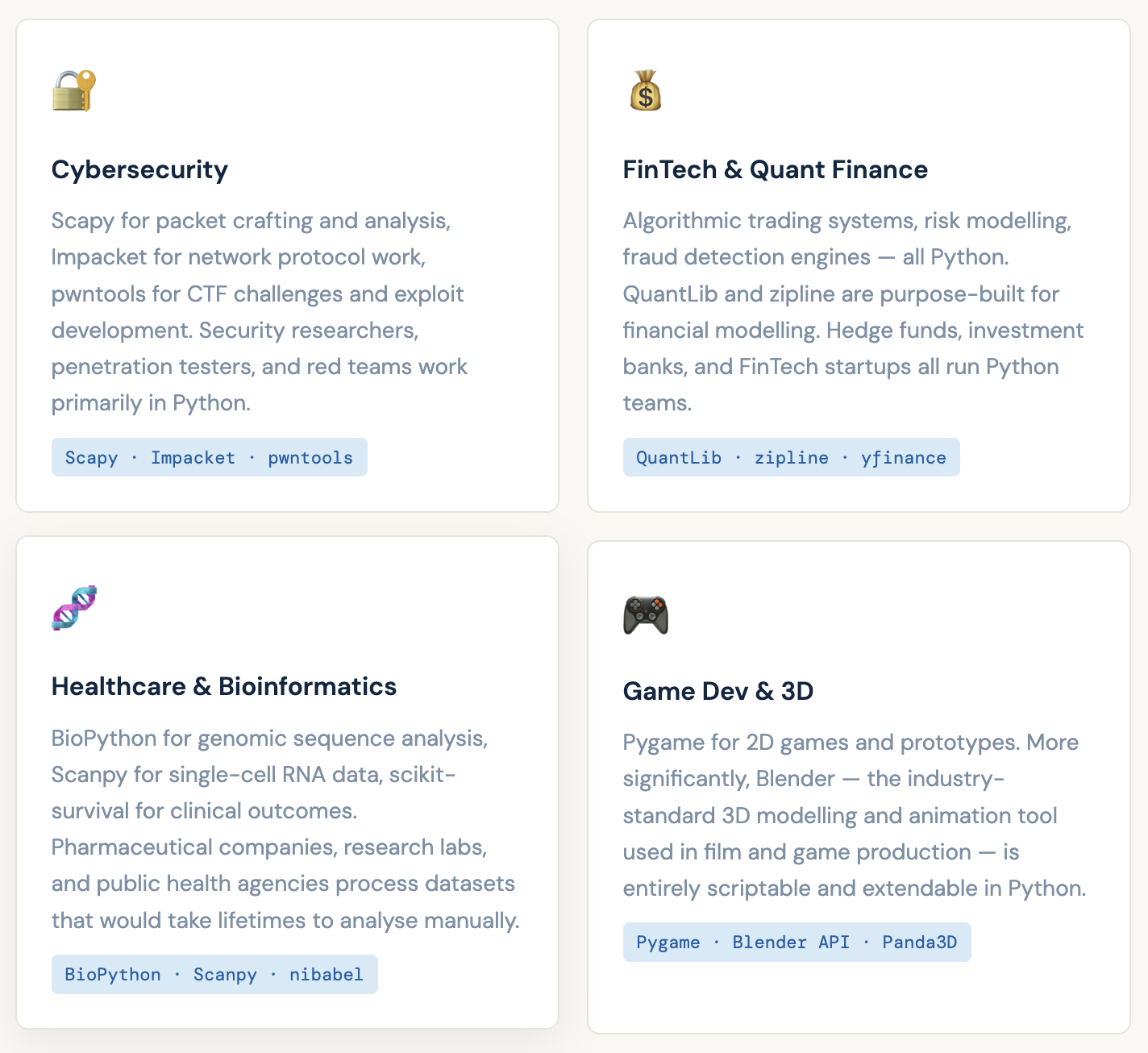
The point of this list is not to overwhelm you. It’s to show you that Python is not a niche language for one type of programmer. Whatever your background - finance, biology, security, design, data - Python has a home for you. You don’t have to change who you are to use it. You use it to amplify what you already do.
Why learn Python? - The case, clearly made
If you’re reading this, you’ve already asked yourself this question. Let me answer it properly - not with hype, but with the actual reasons Python is worth your time.
The syntax advantage is real
Look at the same logic written in three languages. This prints “Hello World” and then asks for your name:
// Java - you need a class, a main method, and type declarations
public class Hello {
    public static void main(String[] args) {
        System.out.println("Hello World");
        Scanner sc = new Scanner(System.in);
        String name = sc.nextLine();
        System.out.println("Hello, " + name);
    }
}

// C++ - similar ceremony
#include <iostream>
#include <string>
int main() {
    std::cout << "Hello World" << std::endl;
    std::string name;
    std::getline(std::cin, name);
    std::cout << "Hello, " << name << std::endl;
}

# Python - just say what you mean
print("Hello World")
name = input("What's your name? ")
print(f"Hello, {name}")
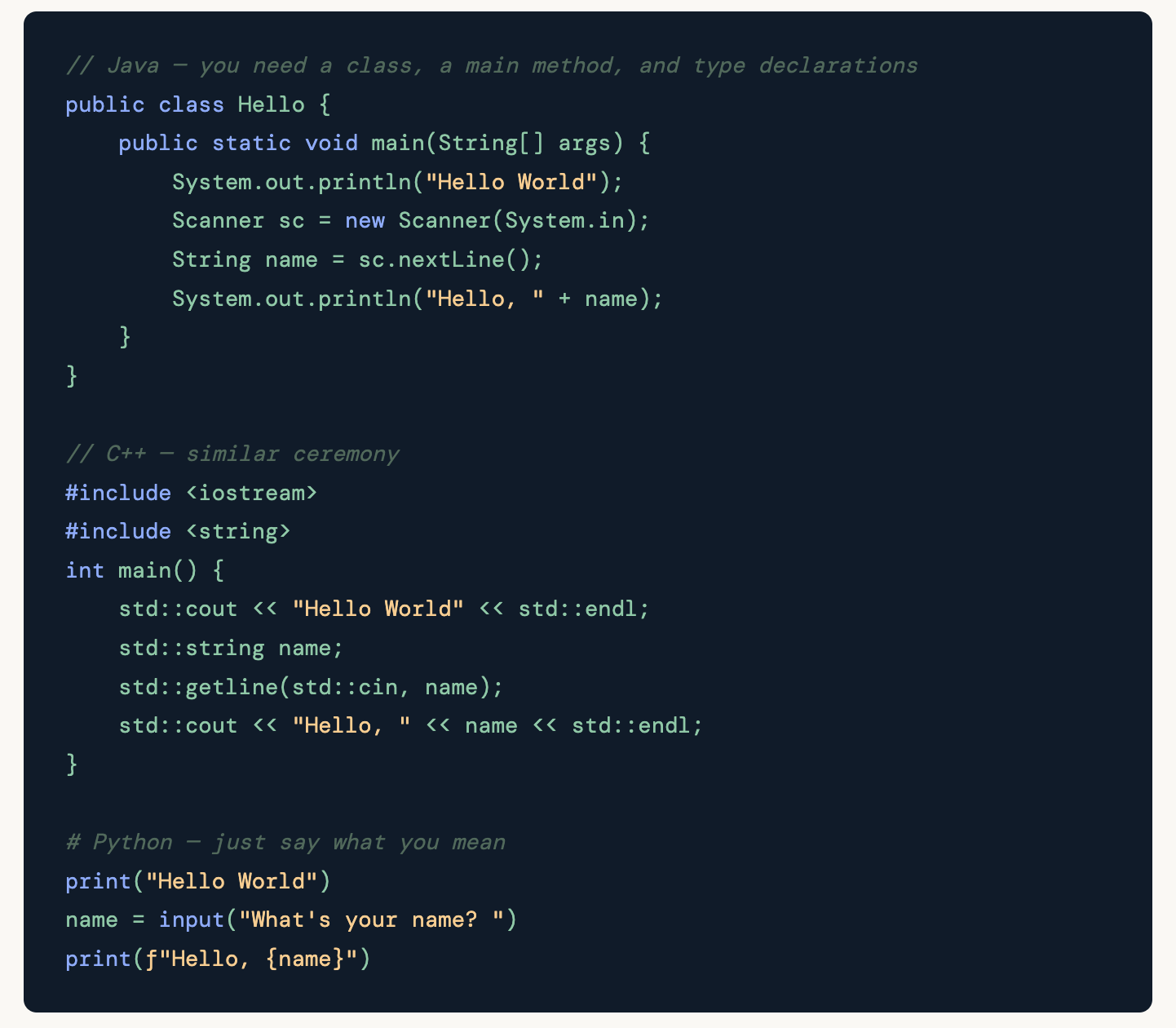
This is not a toy example. This difference compounds. As programs get larger, the cognitive overhead of Java or C++ grows significantly. Python stays readable at scale because readability is built into the language’s design, not bolted on as style advice.
The ecosystem is genuinely unmatched
Python has over 450,000 packages on PyPI (the Python Package Index). Whatever you want to build, the hard parts are almost certainly already written. You get them in one command:
# Data science stack
pip install pandas numpy matplotlib seaborn jupyter

# Web API
pip install fastapi uvicorn

# Machine learning
pip install scikit-learn torch

# Cloud (AWS)
pip install boto3

# Web scraping
pip install requests beautifulsoup4
It is genuinely beginner-friendly - but not dumbed down
Python is designed to be accessible without being simplistic. You can write a useful script in 10 lines on your first day. But those same fundamental constructs - variables, loops, functions, classes - are what professional Python developers use in production systems handling millions of requests. Python doesn’t force you to move to a different language when you “graduate” from beginner status. You go deeper in the same language.
Python benefits people who are not software engineers
This is underappreciated. Python is not only for people who want to become developers. Consider:
- A finance analyst who automates their weekly Excel reports and saves 3 hours every Friday
-
A marketing manager who writes a script that pulls competitor data from 20 websites in 5 minutes instead of 2 hours
-
A researcher who processes 50,000 rows of survey data in seconds instead of manually in spreadsheets
-
A DevOps engineer who automates server health checks and gets Slack alerts instead of checking dashboards manually
-
A writer who uses Python to analyse the readability and sentiment of their own articles
In every case, Python is not replacing their career - it is making them dramatically more effective at it. That is a different and more practical way to think about why to learn it.
📈 Market Reality (2026) Python consistently ranks #1 or #2 on TIOBE Index, Stack Overflow Developer Survey, and GitHub Octoverse. Median Python developer salary in India: ₹18-45 LPA. In the US: $110,000-$160,000. Python job listings have grown consistently year-over-year for the past five years. Companies using Python in their core systems include Google, Meta, Netflix, NASA, Spotify, Dropbox, Instagram, Reddit, Uber. In India: Flipkart, Paytm, Zomato, CRED, Razorpay.
Career scope & what the market looks like
Let’s be concrete. Here is what the Python job market actually looks like in 2026, with realistic salary ranges for the Indian market.
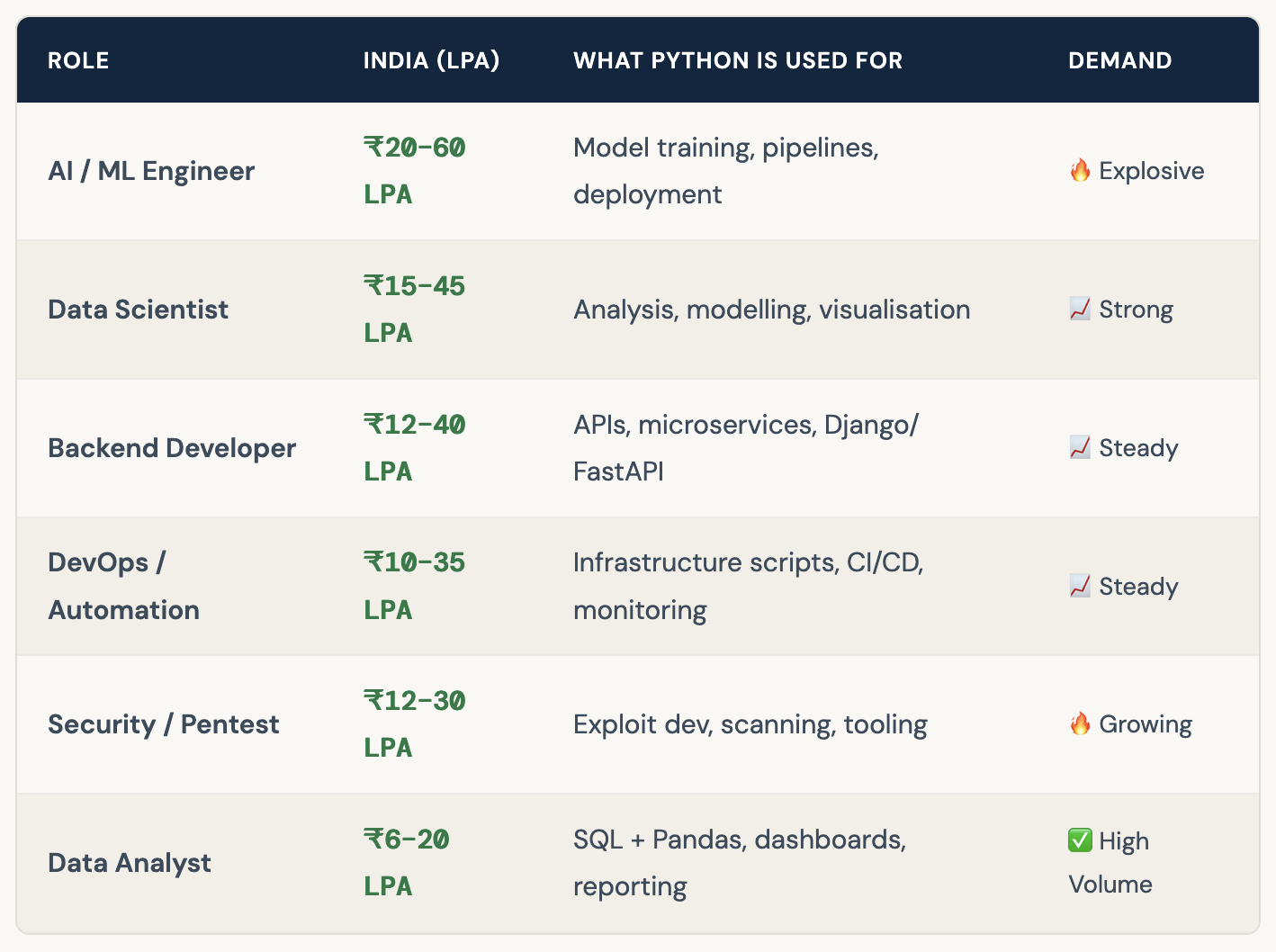
A note on these numbers: the ranges are wide because they span junior to senior roles, different cities, and different company sizes. A fresher joining a startup as a data analyst and a senior ML engineer at a well-funded product company are both “Python jobs” - but very different contexts. The point is that Python opens doors at every level.
What if I don’t want to be a developer?
That’s a completely valid position, and Python is still worth learning. The concept to understand is "Python as a power tool, not a profession." Think of it like learning Excel was in 2005 - you didn’t have to become a data analyst to benefit from knowing it well. Python is the 2026 version of that, but more powerful by an order of magnitude.
Even one month of learning Python - if applied to your actual daily work - can eliminate repetitive tasks, give you abilities your colleagues don’t have, and change how you approach problems. That has tangible career value regardless of your job title.
How this series works - your learning path
Before we set up Python, let’s talk about how this series is structured - because knowing the shape of the journey changes how you travel it.
The philosophy of this series
Most tutorials are designed to be consumed passively. You watch, you nod, you feel like you’re learning. Then you close the tab and can’t write a 5-line script from memory. That is not learning - that is familiarity. This series is designed differently.
Every day has three parts: the concept explained clearly, code you write yourself (not copy-paste), and a small exercise where you build something real with what you learned. The exercises get harder over time. You will get stuck. That is the point - being stuck and figuring it out is when the real learning happens.
A word on pacing
These are called “days” but they are not strict 24-hour commitments. Some days might take you 45 minutes. Others might take two evenings. The label “day” is about progress, not time. What matters is doing them in order and not skipping the exercises. Skipping is how you build gaps that trip you up three weeks later.
✅ The one habit that determines success Consistent small sessions beat marathon weekends every time. Twenty minutes of Python every day for 30 days will take you further than a 10-hour session you never follow up on. Set a fixed time. Protect it. Show up.
Day 0 Setup - getting Python on your machine
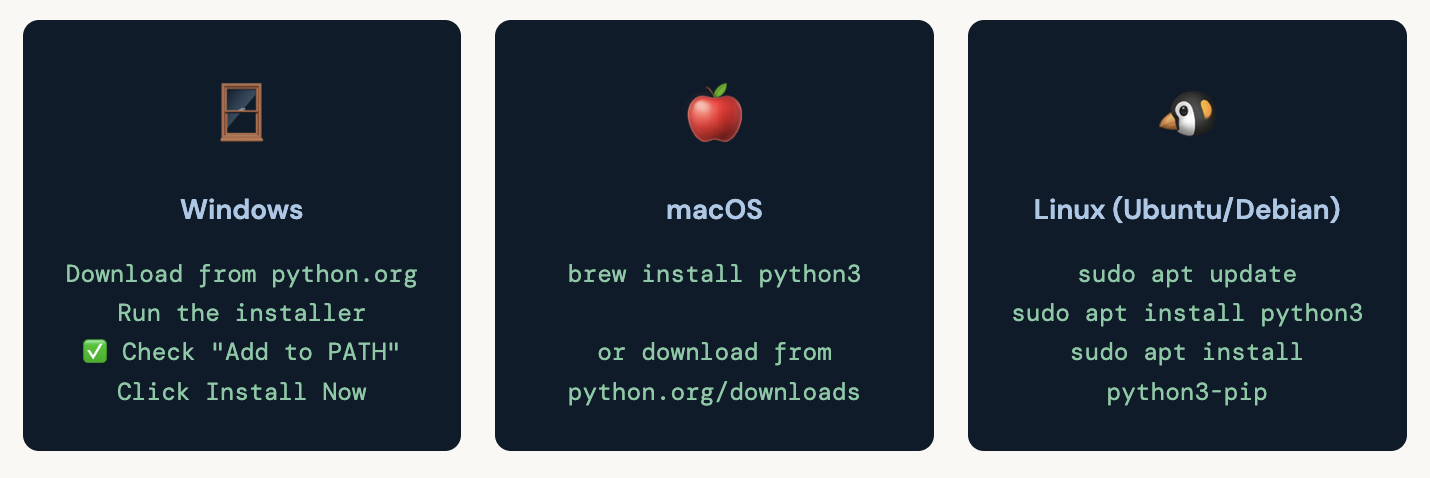
Now we do the one practical thing Day 0 requires: getting Python installed and running your first check. This is not writing a program - it’s verifying the ground is solid before we build on it.
Which Python version?
Always install Python 3. Python 2 was officially end-of-lifed in January 2020 and is no longer maintained. If you see tutorials using print “hello” without parentheses, they are Python 2 - ignore them and find a newer resource. As of 2026, Python 3.12 is the current stable release and what you should install.
Verify your installation
Open a terminal (Command Prompt on Windows, Terminal on Mac/Linux) and run:
python3 --version
Python 3.12.x

pip3 --version
pip 24.x.x from ...
If you see version numbers, you’re set. If you see “command not found,” the most common fix on Windows is to re-run the installer and make sure “Add Python to PATH” is checked.
Your editor - where you’ll write code
You need a text editor or IDE (Integrated Development Environment). For this series, I recommend VS Code - it’s free, lightweight, and has excellent Python support. Install the Python extension by Microsoft from the VS Code marketplace once you open it.
💡 VS Code setup for Python 1. Download VS Code from code.visualstudio.com 2. Open VS Code → Extensions (Ctrl+Shift+X) 3. Search "Python" → Install the extension by Microsoft 4. Open any .py file → VS Code will prompt you to select a Python interpreter → choose the Python 3 you just installed
Your first real command - the Python REPL
Open your terminal and type python3 then press Enter. You’ll see something like this:
python3
Python 3.12.x (main, ...)
Type "help", "copyright", "credits" or "license" for more information.
You’re now in the Python REPL - Read, Evaluate, Print, Loop. It reads what you type, evaluates it as Python, prints the result, and loops back for more input. It’s Python’s interactive mode. Try typing these and pressing Enter after each:
2 + 2
4
"Hello, Gayatri!"
'Hello, Gayatri!'
print("Python is running.")
Python is running.
exit()
If you saw those outputs, Python is installed and working. You’re ready for Day 1.
Day 0 exercise - write your first script file
Before we close, let’s make sure you can run a Python file (not just the REPL). Create a new file called day0.py and type - don’t paste - the following:
# day0.py - My first Python script
# Day 0 of: Learn Python with Gayatri

name = input("What is your name? ")
print(f"Hello, {name}. Welcome to Python.")
print("Day 0 complete. See you tomorrow.")
Run it from your terminal:
python3 day0.py
What is your name? Gayatri
Hello, Gayatri. Welcome to Python.
Day 0 complete. See you tomorrow.
If you see that output, Day 0 is complete. You have Python installed, your editor set up, the REPL tested, and your first script file running. The foundation is solid.
Success. 🎯 Day 0 checklist ☑ Python 3.12+ installed and verified ☑ pip installed ☑ VS Code set up with Python extension ☑ REPL tested - math and print working ☑ First script file (day0.py) runs successfully
"The only mistake you can make is to keep waiting for the right time to start. You just did Day 0. You already started."
Day 0 is the day most people skip because it feels like it doesn’t count. But it does count - more than any other day. Understanding why you’re learning something changes how much of it you retain, how patiently you work through the hard parts, and how quickly you notice when things start to click.
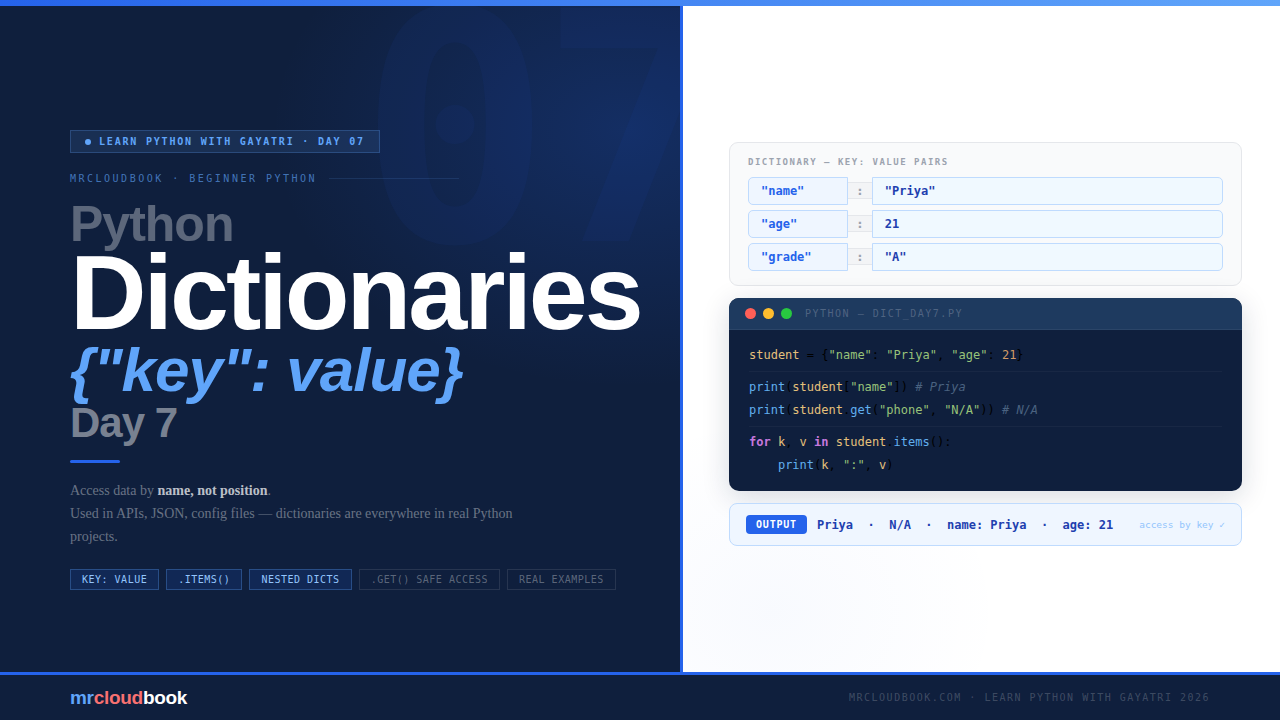
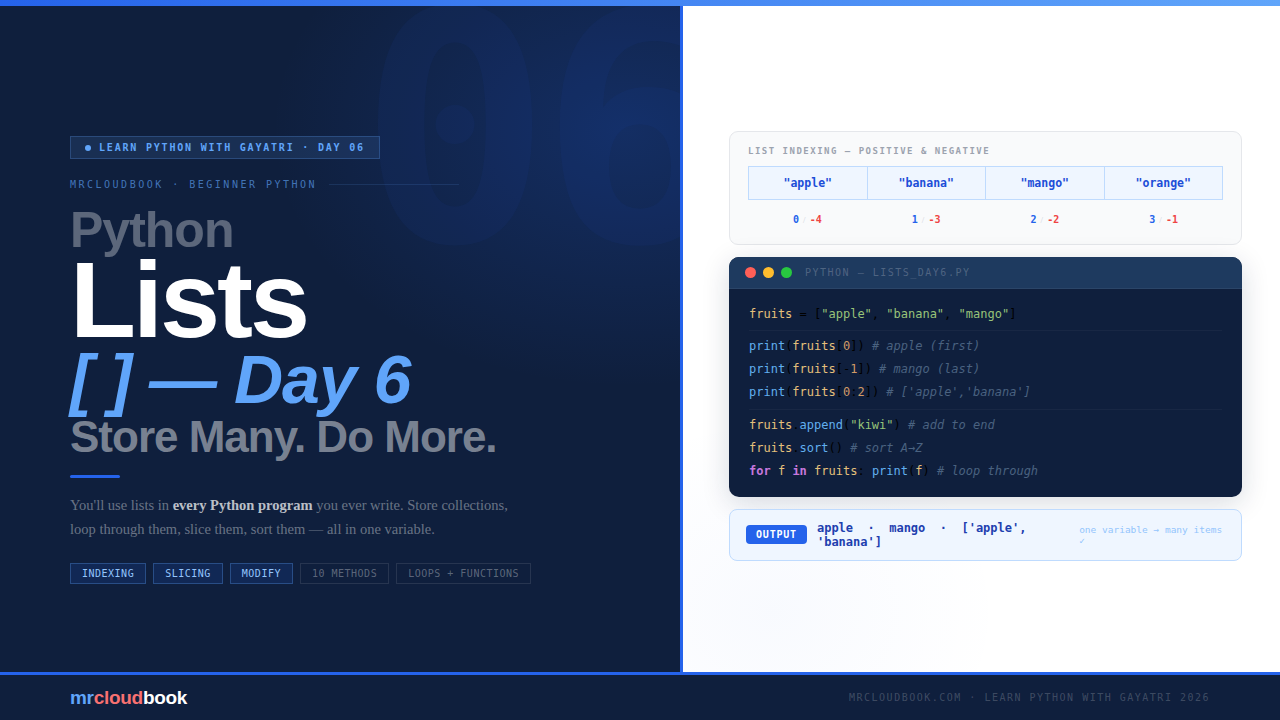
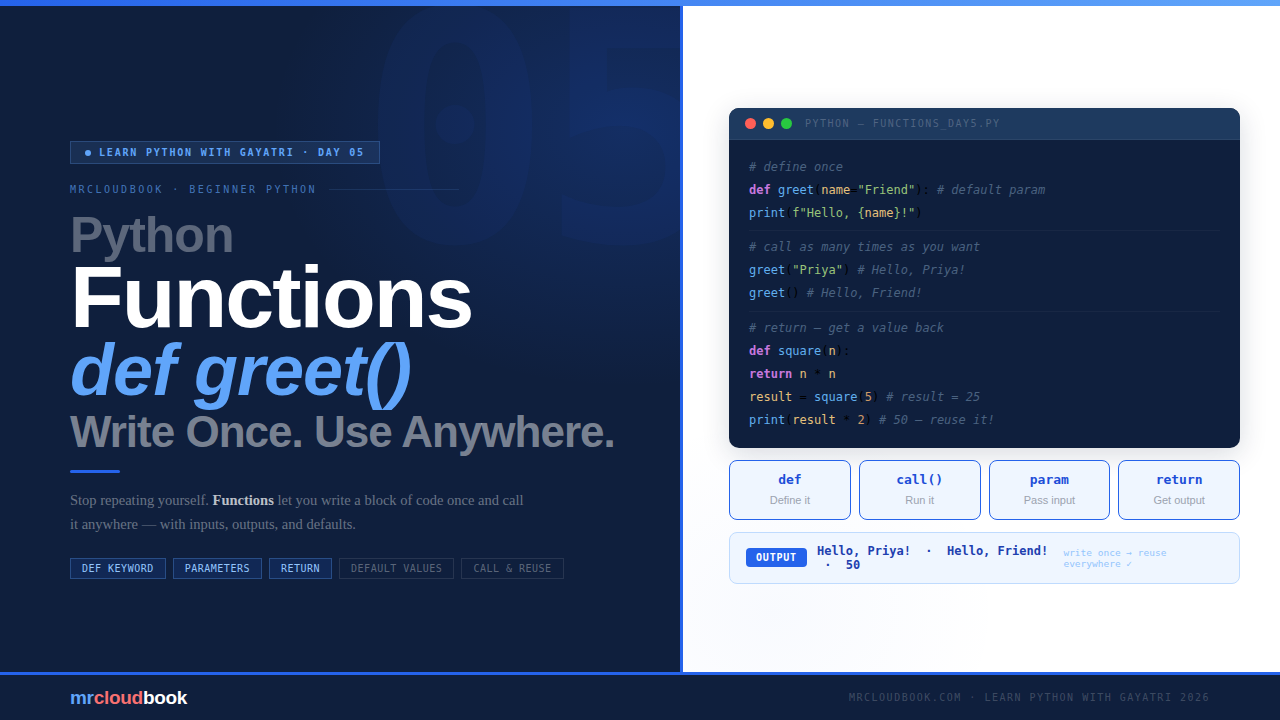
You now know what Python is at a real level. You know where it’s used, who uses it, and what careers it opens. You have a learning path mapped out and an environment ready to go. Day 1 starts at the beginning - variables - and we’ll move from there, one solid concept at a time.
See you in Day 1.
Comments (1)
1 . why python is high level language. -> python looks almost like plain English - Simple & readable -> You don't have to worry about think like allocating and freeing memory -> Many line code in other language but single line code in python Example - Note : Please don't laugh a = 5 b = 3 print(a + b) just write what you want, and Python handles the rest example 2 - # Make Maggi. --> High level (Python) =>boil water --> add noodles --> add masala --> cook for 2 minutes You don’t explain every tiny step # Make Maggi. --> Low level (C/ assembly) “Take a pan → pour 2 cups water → turn on stove → wait until boiling → add noodles → stir → add masala → cook exactly 2 minutes…” You must explain every small instruction. 2. Why python is interpreter language. Interpreter = a program that reads and executes code one line at a time. example : How Python Executes (Step-by-step) print("Start") → ✅ Output: Start print(10 / 2) → ✅ Output: 5.0 print(10 / 0) → ❌ Error (division by zero) print("End") → ❌ This line will NOT run 3 . A general-purpose language = one language, many uses web development Data analysis AI & ML Automation
Leave a comment